
Troubleshooting
Connected but Slow: Work Through It in Order
Pages load, but downloads sit at a few hundred KB/s and video is stuck at 480p. This is the kind of problem people fix by randomly changing things. Working through it in order saves a lot of time.
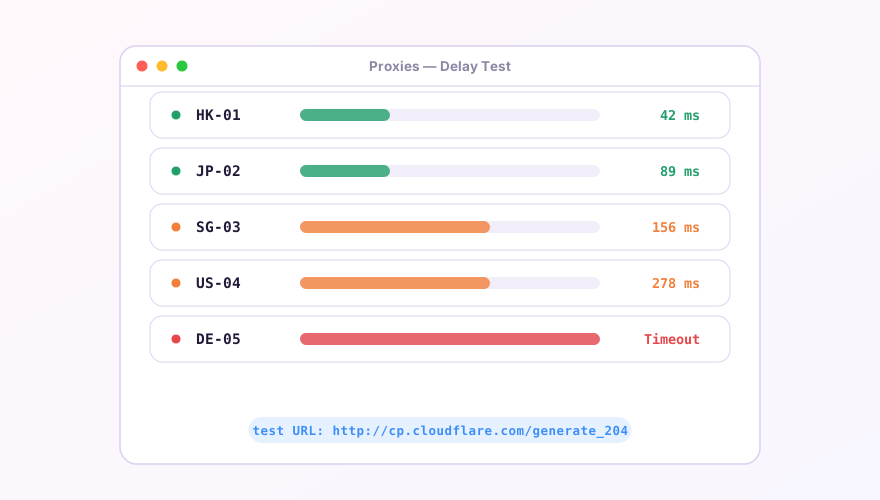
Separate latency from bandwidth
The number next to a node is latency: how quickly it answers, which says nothing directly about throughput. An 80 ms node might cap out at 5 Mbps while a 200 ms one saturates your line. Measure with a real download — pull a large file — instead of reading conclusions off the latency figure. Details in latency testing.
SponsoredWhere does the subscription link come from?Our partner provider gives you 1 GB of high-speed Hong Kong data at signup — import it in one click.Get high-speed nodesCheck these in order
- Try other nodes — three or four from the same subscription. All slow means the problem is on your side or provider-wide; one slow node is just that route;
- Check your remaining quota — plenty of providers throttle to a few hundred KB/s after you go over rather than cutting you off. Easy to misdiagnose;
- Turn TUN off and compare — TUN adds a virtual adapter, and on some NIC drivers that genuinely costs throughput. Test once on system proxy, see system proxy vs TUN;
- Test at a different hour — 20:00 to 24:00 local is peak congestion on international links. A threefold day-versus-evening difference on the same node is common.
What you can tune locally
- Too many rule sets slows matching on every new connection — trim to four or five, see reducing memory use;
- A poor DNS setup adds hundreds of milliseconds before each connection, which feels exactly like "slow" — see DNS settings;
- Confirm the site is actually going through the proxy. If it's going direct to a throttled overseas host, no amount of node swapping helps. Check on the Connections page.
The client does not rate-limit anything; Clash Verge only forwards. When the same node is faster in a different client, that's protocol parameters or MTU, not one client being inherently quicker.
Windows 64-bit installer · v2.5.1 · free & open source