
Troubleshooting
Cutting Clash Verge's Memory Usage
Task Manager shows the Clash Verge family of processes eating 300–400 MB, and on an 8 GB laptop that stings. First understand where it goes, then cut with intent.
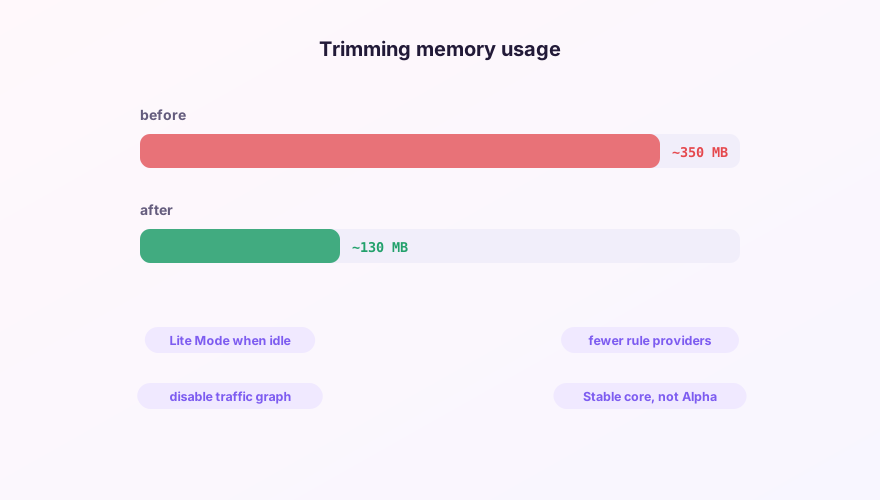
Where the memory goes
Two buckets: the UI process (Tauri WebView, tens to 100+ MB) and the core process verge-mihomo (scales with config complexity). The optimizations split the same way.
SponsoredWhere does the subscription link come from?Our partner provider gives you 1 GB of high-speed Hong Kong data at signup — import it in one click.Get high-speed nodesShrinking the UI
- Lite Mode — the single biggest win. With it, closing the window destroys the UI process entirely, leaving only the core proxying; the tray keeps working. Enable "lite mode on window close" in Settings;
- Disable the traffic graph — live charting costs render resources continuously;
- Keep the main window closed when idle — the UI renders on demand.
Shrinking the core
- Trim rule providers — every provider loads fully into memory. Drop unused ones; swap mega ad-block lists for lite editions — see the rule-set guide;
- Fewer nodes — a 500-node subscription can be Script-filtered down to the regions you use;
- Stable core over Alpha — Alpha occasionally ships memory regressions; without a concrete reason, stay Stable (core switching);
- Memory climbing during BT downloads is the connection table doing its job; it recedes when the flood ends.
Realistic expectations
A tuned setup lands around 100–150 MB total in lite mode, mostly the core. For a proxy engine holding rule indexes, a connection table and Geo databases, that's healthy — chasing double-digit megabytes isn't realistic.
"Grows forever, never comes down" is a leak — report it on GitHub with your version and config size. "Fluctuates with connection count" is normal operation.
Windows 64-bit installer · v2.5.7 · free & open source