
Troubleshooting
Port Already in Use: Fixing 7897 Conflicts
"Port 7897 is already in use" — another program claimed Clash Verge's mixed port first. Two ways out: evict the squatter, or move.
Find the squatter (Windows)
netstat -ano | findstr :7897The last column is the PID. Identify it:
tasklist | findstr 12345Usual suspects: another proxy client (CFW, v2rayN, a zombie Verge instance that never quit), or a dev tool's local server. Kill leftovers; for software you actually need, read on.
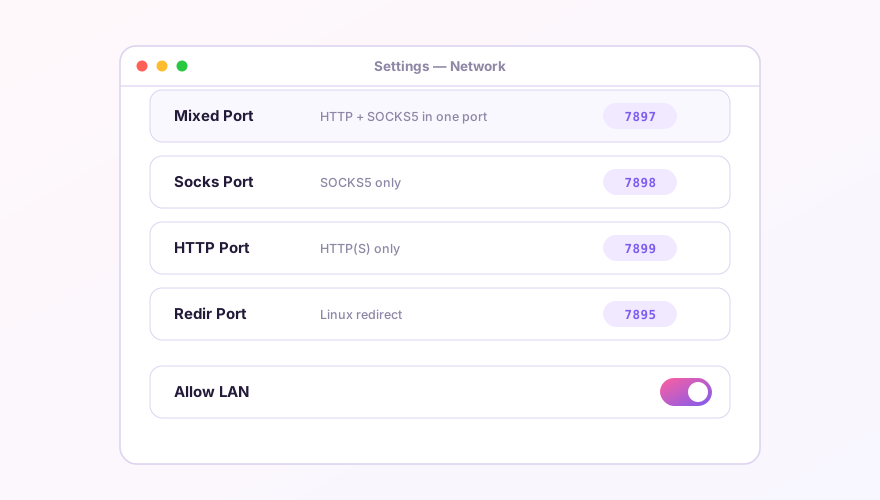
Move Verge to another port
- Settings → Ports: set the mixed port to something free —
7899or17897(stay between 1024 and 65535); - Save; the core restarts and the system proxy follows to the new port automatically — browsers need nothing;
- Manually configured software must be updated by hand: git's global proxy, shell env vars, SwitchyOmega profiles… everywhere you ever typed
127.0.0.1:7897.
Running two proxy clients side by side
For testing or comparison, two clients coexist fine on staggered ports — but only one may own the system proxy, and TUN is strictly exclusive: two TUNs fighting over the default route takes the whole machine offline.
Verge Rev picked 7897 as default precisely to dodge the ancient 7890 collisions from the CFW era. If you need to serve legacy tools that hard-code 7890, just set the mixed port to 7890 and be done.
Windows 64-bit installer · v2.5.7 · free & open source