
Advanced
Switching Mihomo Core Versions: Stable vs Alpha
Clash Verge is the shell; the Mihomo core does the actual work. The app ships two core channels you can swap between at any time — invaluable when a brand-new protocol lands and stable hasn't caught up yet.
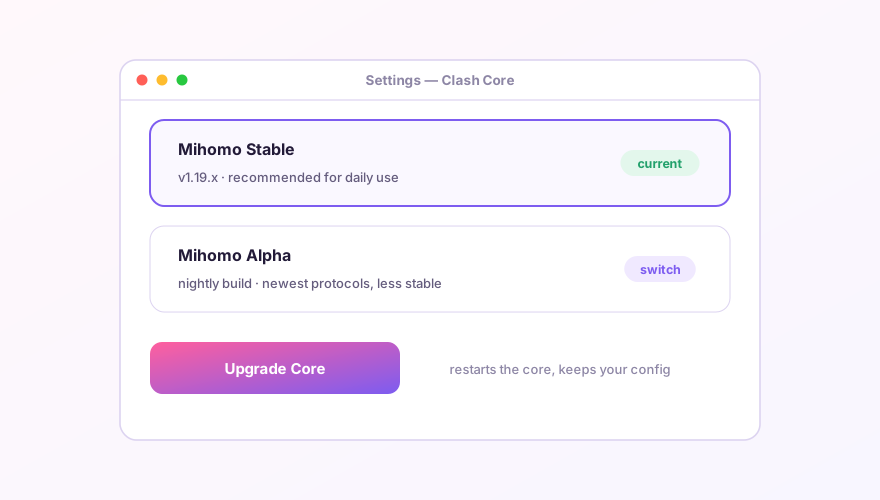
What each channel is for
- Stable — follows official Mihomo releases; the default for daily use;
- Alpha — nightly builds; new protocol features (fresh transports, handshakes) land here first, at the cost of occasional bugs.
The classic reason to jump to Alpha: your provider adds nodes on some just-released protocol variant and the stable core throws unsupported type at them — Alpha usually already speaks it.
Switching and upgrading
- Settings → find the Clash Core section;
- Click the version entry to flip between Stable and Alpha — the core restarts itself, two or three seconds of downtime;
- The Upgrade Core button pulls the newest build of the current channel over the network — no need to wait for a Verge app release.
Does my config survive?
Yes. Profiles, rules and ports live in the app layer; the core just executes them. The one caveat is downgrading: if your config uses an Alpha-only field, the stable core may refuse to load it — comment those fields out of your Merge config.
If everything broke "overnight" and you recently upgraded the Alpha core, switching back to Stable should be your first move — Alpha regressions happen, and that's exactly why the dual-core design exists.
Windows 64-bit installer · v2.5.7 · free & open source