
Advanced
The Global Extend Config: Merge and Script
Editing the subscription file directly is the classic beginner mistake — the next auto-update wipes everything. The right place for customizations is the global extend config: it lives outside your profiles and is overlaid on top of them at load time. If you came from CFW, this is Mixin's successor.
Merge: covers 90% of needs
Merge is a YAML document whose fields fold into the final config. The three prefixes you'll actually use:
# plain keys overwrite
mixed-port: 7897

# prepend: insert at the top of a list (rules win by being early)
prepend-rules:
  - DOMAIN-SUFFIX,internal.company.com,DIRECT

# append: add to the end of a list
append-proxy-groups:
  - name: "Home Backup"
    type: select
    proxies: [DIRECT]
Think before choosing prepend vs append for rules: matching is top-down, so private rules usually need prepending to beat the subscription's own rules.
Script: the do-anything escape hatch
Script is a JavaScript function that receives the fully merged config object and returns whatever you want:
function main(config) {
  // drop every node whose name contains "expired"
  config.proxies = config.proxies.filter(
    (p) => !p.name.includes("expired")
  );
  return config;
}
Renaming nodes, filtering, bulk parameter edits — anything Merge can't express. A broken script fails the profile load; check the Profiles page for the error banner after saving.
Scope
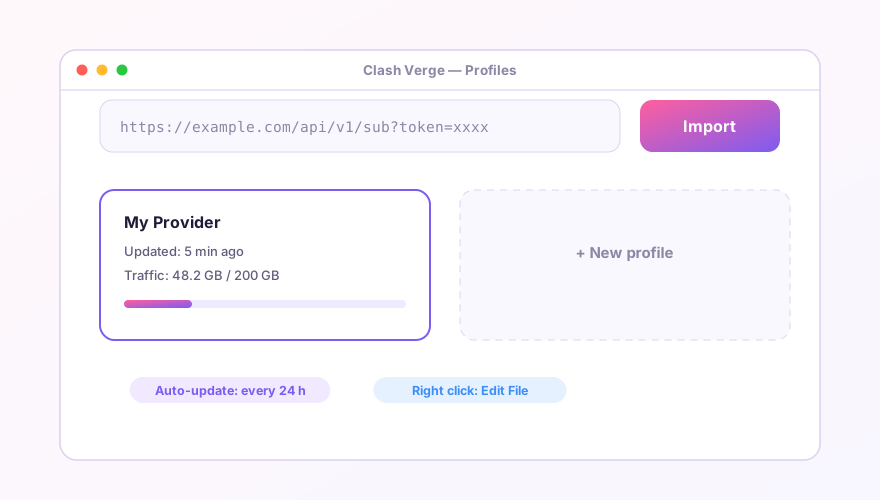
The global extend config applies to all profiles. To customize just one subscription, right-click its card and use the per-profile extend config — same syntax. Load order: profile → per-profile extend → global extend; later layers win.
Broken indentation is the top cause of "profile failed to load". YAML cares about spaces: two-space indents, and a space after every colon.
Windows 64-bit installer · v2.5.7 · free & open source