
Troubleshooting
UWP Apps Bypass the Proxy: The Loopback Fix
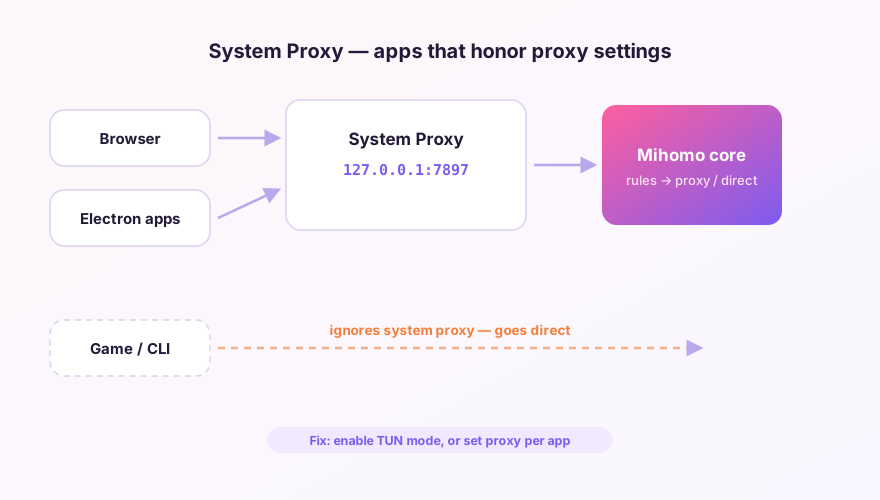
Store-installed apps — new Bing, Store editions of chat clients, Xbox app — carry a Windows restriction: they may not connect to the 127.0.0.1 loopback address. Your system proxy lives at exactly 127.0.0.1:7897, so UWP apps either go direct or lose connectivity entirely.
Option 1: the built-in UWP tool
- Settings → find the UWP Tool entry (it requests elevation);
- Tick the UWP apps that need network access through the proxy;
- Save and exit — effective immediately, no reboot.
Option 2: command line
List all UWP containers in an elevated PowerShell:
CheckNetIsolation.exe LoopbackExempt -sExempt one app (Store Edge shown; -n takes the package family name):
CheckNetIsolation.exe LoopbackExempt -a -n="Microsoft.MicrosoftEdge.Stable_8wekyb3d8bbwe"Microsoft's EnableLoopback Utility offers the same thing with a GUI if you prefer.
Option 3: just use TUN
TUN mode captures packets at the adapter, below the loopback restriction — the problem simply doesn't exist there. If TUN is your daily driver anyway, skip the exemptions; they only matter for system-proxy users.
Exemptions live in Windows, so reinstalling Clash Verge doesn't touch them — but a UWP app update that changes its package name needs re-ticking. App missing from the list? Launch it once, then refresh.
Windows 64-bit installer · v2.5.7 · free & open source