
Advanced
GeoIP and GeoSite Databases: What They Do and How to Update
Rules like GEOIP,CN,DIRECT and GEOSITE,category-ads-all,REJECT only work because of three local data files. When those files age, routing gets weird — sites that should go direct sneak through the proxy and vice versa.
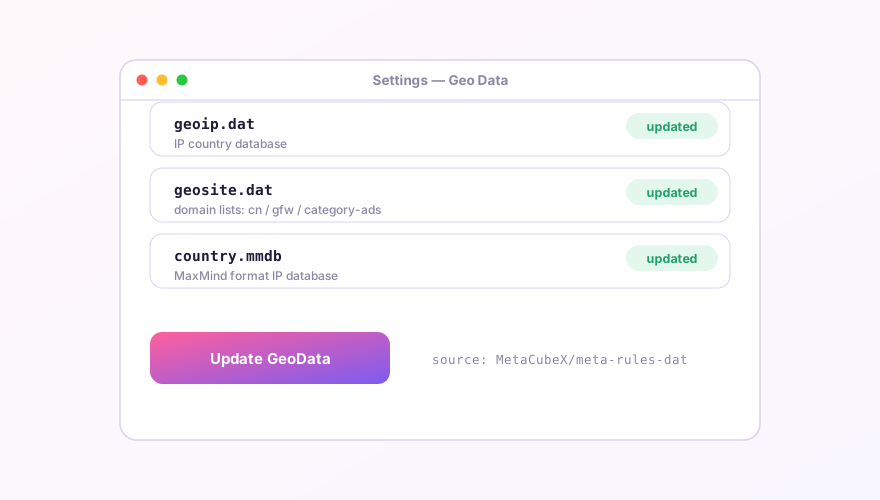
Which file does what
| File | Contents | Used by |
|---|---|---|
geoip.dat / country.mmdb | IP ranges mapped to countries | GEOIP rules |
geosite.dat | Domain lists grouped by purpose (cn, gfw, category-ads-all…) | GEOSITE rules |
Verge Rev defaults to the community-enhanced data from MetaCubeX (meta-rules-dat), which categorizes far more finely than the originals.
SponsoredWhere does the subscription link come from?Our partner provider gives you 1 GB of high-speed Hong Kong data at signup — import it in one click.Get high-speed nodesWhen to update
- Visible misclassification: a domestic site routed abroad, or the reverse;
- The core reports "not found" for a newer
GEOSITEcategory you're referencing; - Routine hygiene: once every month or two is plenty. Daily updates buy nothing.
How to update
Settings → Update GeoData. The app fetches fresh files from the data source and reloads the core automatically. The download follows your current proxy logic — if GitHub is unreachable, get a working node first.
Verify and troubleshoot
- Afterwards, search a known domain on the Rules page and confirm it hits the expected rule;
- Update failures show in the Logs page — usually a timeout; retry through a different node;
- If many rules act broken right after updating, restart the core so the new data actually loads.
Geo data is coarse-grained by design. For precision, layer rule providers on top: GEOSITE handles the bulk, rule sets handle the exceptions.
Windows 64-bit installer · v2.5.7 · free & open source