
Advanced
Streaming Routing: A Dedicated Node for Netflix and Disney+
Netflix says you appear to be using an unblocker; Disney+ just refuses to play. Usually the node is connected fine — its IP is simply recognised as a datacentre address. The fix isn't a different client, it's pulling streaming traffic out into its own group and pointing it at a node that works.
Build a streaming-only group
Append this in the Merge section of the global extended config:
append-proxy-groups:
  - name: "Streaming"
    type: select
    proxies: [DIRECT]
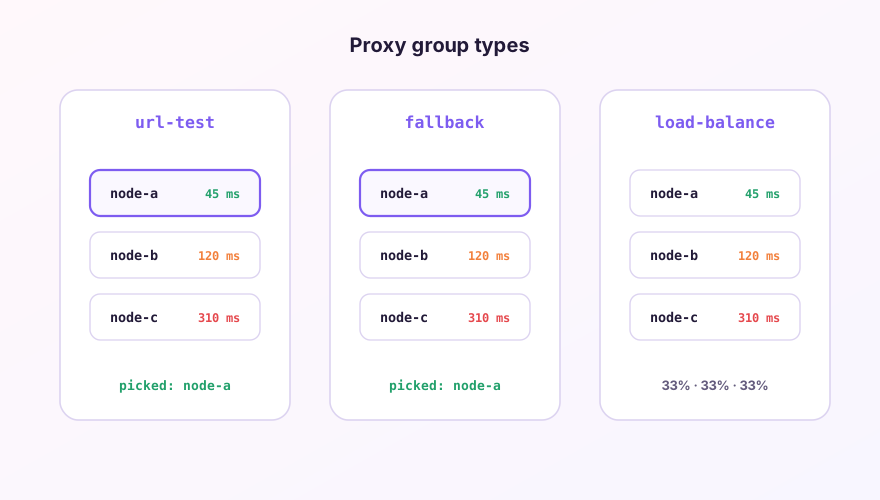
Use select, not url-test. Latency testing hops between nodes, but streaming platforms care whether the IP is blacklisted — the fastest node is often not one that plays. Picking one by hand is less work in the long run; the group types are compared in proxy groups.
Point the domains at it
Community rule sets are far more reliable than a hand-written domain list. Syntax is covered in rule providers:
prepend-rules:
  - RULE-SET,netflix,Streaming
  - RULE-SET,disney,Streaming
prepend matters. Rules match top to bottom, so anything appended below gets intercepted by the rules your subscription already ships.
Still not playing
- Check on the Connections page that the playback request really went through the Streaming group. If it didn't, the rule isn't taking effect;
- Clear the site's cookies and local storage — the platform caches its previous region verdict;
- Mobile apps are stricter than the website: they read system location and DNS. Web working doesn't mean the app will. See DNS settings.
Whether a service unblocks is entirely down to the route your provider gives you; the client only forwards packets. Trying several nodes from the same subscription is the fastest way to find out.
Windows 64-bit installer · v2.5.1 · free & open source